










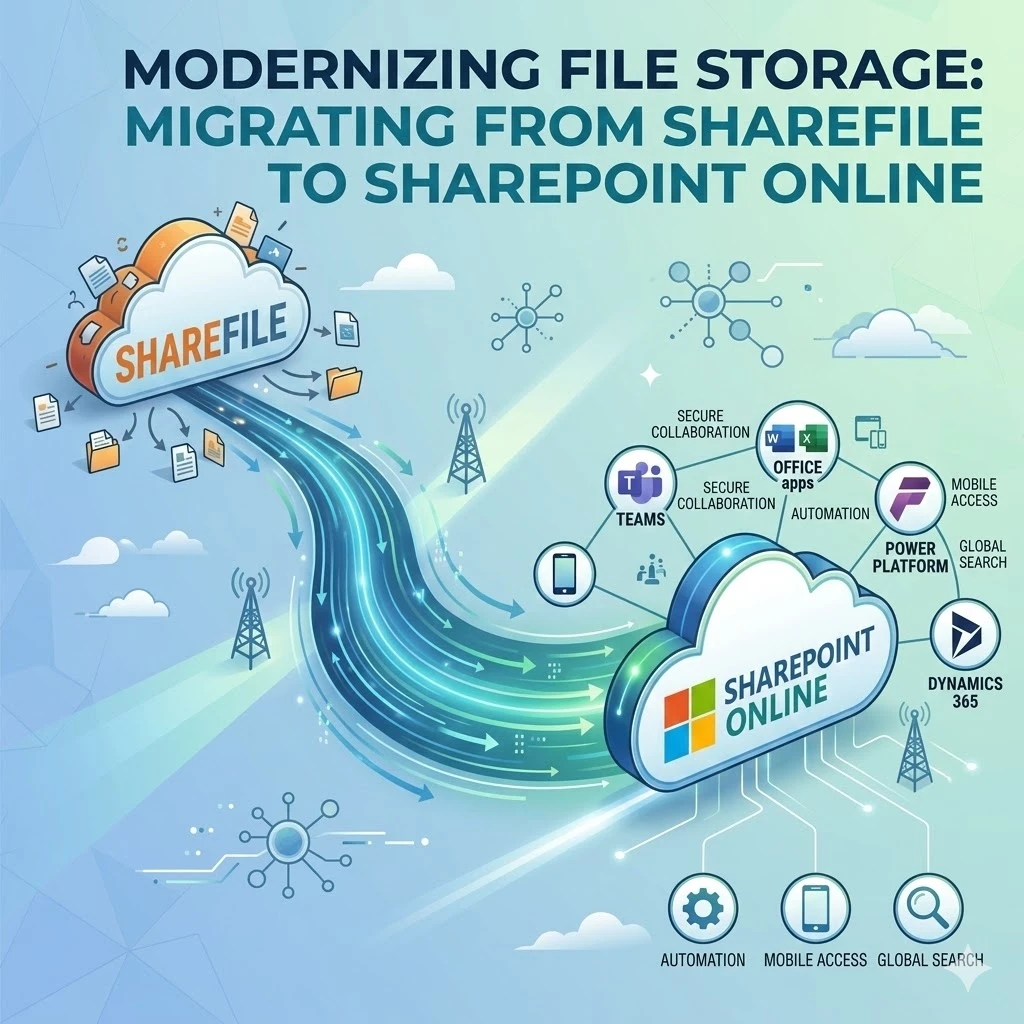
In today’s rapidly evolving digital landscape, businesses in the USA are constantly seeking more integrated and secure ways to collaborate and manage data. The ever-evolving nature of step by step ShareFile to SharePoint migration represents a significant step forward for organizations looking to leverage the robust capabilities of the Microsoft 365 ecosystem. This transition is not merely about moving files; it’s about adopting a platform that serves as a critical role in Microsoft 365, Office 365, Dynamics 365, and Power Platform.
Modern organizations are shifting to SharePoint because it offers a centralized hub for secure collaboration, automation, and scalability that siloed solutions like ShareFile often lack. As the growing importance of SharePoint in Office 365 ecosystems becomes undeniable, staying updated with the latest migration strategies, tools, and SaaS trends is essential for a successful digital transformation.
This comprehensive guide will walk you through everything you need to know about an ShareFile to SharePoint online migration, from understanding the process to maximizing your new environment.
What is ShareFile to SharePoint Migration?
A ShareFile to SharePoint migration involves the complex process of moving digital assets—including files, folders, permissions, and metadata—from Citrix ShareFile to Microsoft SharePoint Online. This is not just a “lift-and-shift” operation; it’s a strategic transition from a standalone file transfer and storage service to a multifaceted collaboration platform.
Key Topics to Cover in This Section:
- Data Assessment: Understanding the volume, type, and complexity of data being moved.
- Permissions Mapping: Translating ShareFile’s access controls to SharePoint’s permission groups.
- Content Restructuring: Reorganizing data to fit SharePoint’s logical hierarchy of site collections, sites, and document libraries.
- Metadata Preservations: Ensuring critical file information (created dates, authors) remains intact.
Latest Trends and Strategies:
The latest migration strategies emphasize automation and minimizing business disruption. Instead of one-time “big bang” migrations, many USA businesses are opting for phased migrations. This approach allows IT teams to tackle specific departments or data subsets incrementally, ensuring that any issues are resolved without impacting the entire organization simultaneously. Using specialized SharePoint migration tools has become standard practice, moving away from manual methods to ensure data integrity.
Why Businesses in the USA Are Moving to SharePoint
The business environment in the USA is highly competitive and compliance heavy. American organizations need tools that not only facilitate work but also provide a strategic advantage. While ShareFile is excellent for secure file sharing, SharePoint offers a much broader scope of functionalities that better serve enterprise needs.
Key Topics to Cover in This Section:
- Cost Efficiency: Consolidating license costs by leveraging the existing Microsoft 365 subscription.
- Deep Integration: Native connectivity with the entire Microsoft stack (Teams, Outlook, Word, Excel).
- Enhanced Collaboration: Moving beyond file sharing to co-authoring, version control, and team sites.
- Advanced Security: Benefiting Microsoft’s significant investment in cybersecurity and compliance features.
SaaS Project Context:
From a SaaS project perspective, moving to SharePoint is a strategic play. It transforms document management from a utility cost into a value-generating asset. Organizations can leverage professional SharePoint consulting services to design an environment that perfectly mirrors their business workflows. This migration is often the catalyst for wider digital adoption, enabling USA businesses to build a more agile and responsive operation.
Visual Suggestion: A “ShareFile vs. SharePoint Comparison Chart” highlighting key differences in features like real-time co-authoring, workflow automation, and ecosystem integration.
Importance of SharePoint in Office 365, Dynamics 365, and Power Platform
SharePoint is far more than just a repository for files; it is the fundamental underlying data layer and document management system for the entire Microsoft ecosystem. Its role is so central that many other Microsoft applications rely on SharePoint to function effectively.
Key Topics to Cover in This Section:
- Office 365 Ecosystem: SharePoint stores files for Microsoft Teams, powers the intranet via Communications Sites, and integrates with OneDrive.
- SharePoint for Dynamics 365: Enables seamless document management within Dynamics 365 records, improving sales and service efficiency.
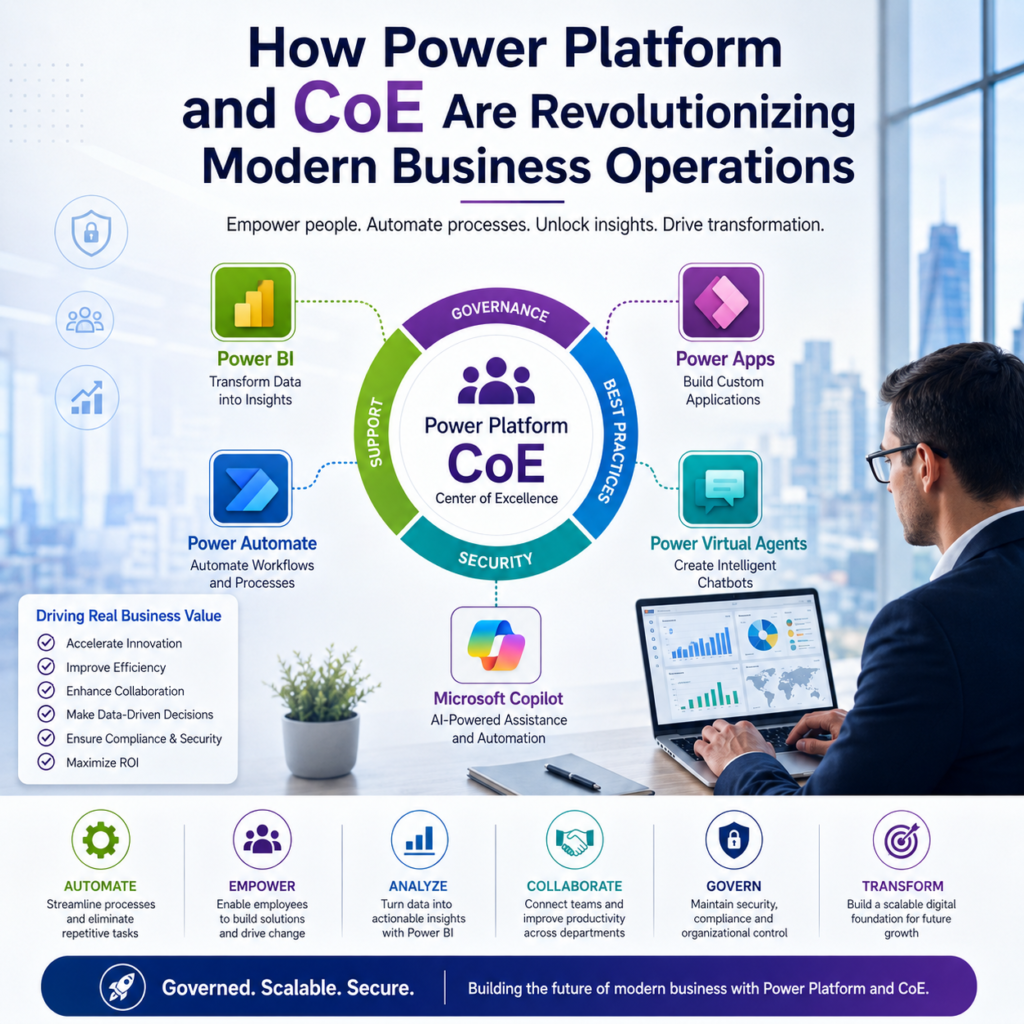
- Power Platform Foundation: Serves as a primary data source for Power Apps and Power Automate.
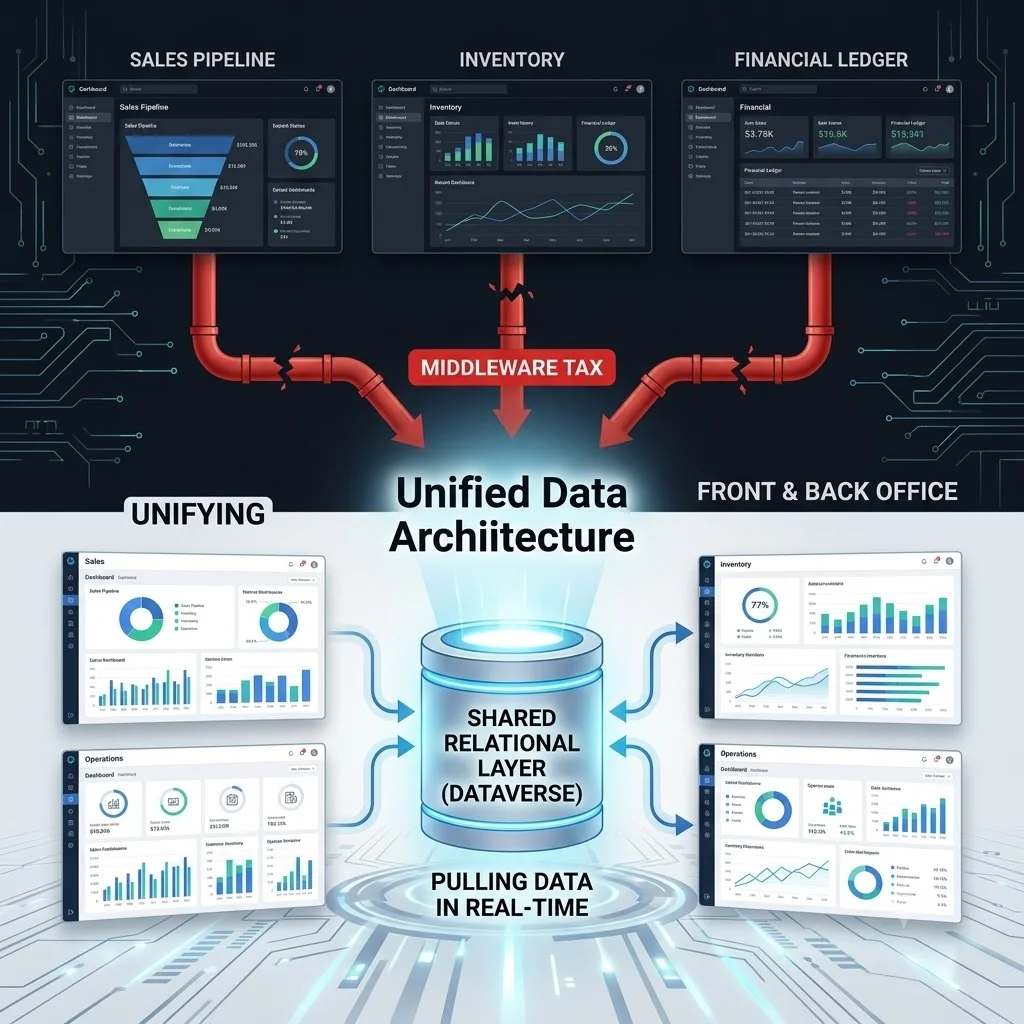
- Dataverse and SharePoint: Understanding when to use SharePoint and when to use Dataverse for data storage.
Latest Office 365 Success Strategies:
To achieve Office 365 success, organizations must view SharePoint as the connective tissue of their operational data. When migrate ShareFile to SharePoint Online is complete, a business isn’t just getting better file storage; they’re unlocking advanced capabilities. For example, documents related to a customer in Dynamics 365 can be automatically stored in SharePoint, where they can be accessed via Teams for collaborative work and updated via a canvas Power App.
Latest Trends in SharePoint Migration
The landscape of data migration is constantly shifting. Staying informed about the latest trends ensures that your migration is not only successful but also takes advantage of modern efficiencies.
Key Topics to Cover in This Section:
- Migration-as-a-Service (MaaS): The rise of specialized, managed migration services.
- AI-Powered Discovery: Using artificial intelligence to classify and clean data before migrating.
- Increased Focus on “Pre-Migration”: The understanding that planning is more critical than execution.
- Near-Zero Downtime Migrations: Techniques and tools that keep users working during the transfer.
Trends for USA Success:
In the USA, the trend is moving strongly toward holistic content governance rather than just content movement. Businesses are utilizing pre-migration analytics to identify redundant, obsolete, and trivial (ROT) data, ensuring that only high-value information is moved. There is also a growing reliance on professional Office 365 migration consulting USA to manage the nuances of complex migrations, ensuring compliance with US data privacy regulations during the transfer.
Best Strategies for ShareFile to SharePoint Migration
A successful migration doesn’t happen by accident; it requires a well-defined strategy. Adopting a structured, multi-phase approach is the best way to ensure project success.
Key Topics to Cover in This Section:
- Discovery & Assessment Phase: Identifying sources, volumes, and complexities.
- Planning & Design Phase: Creating the SharePoint architecture and mapping permissions.
- Pilot Migration: Testing the process with a small, low-risk subset of data.
- Execution & Validation: Conducting the full migration and verifying data integrity.
- Post-Migration & Training: Onboarding users to the new platform.
Strategies for a Human-Friendly Transition:
While the technical aspects are crucial, the human element is often the determining factor in a migration success. A phased strategy allows users to adapt gradually. Communicating clearly and frequently about ‘why’ the move is happening is as important as the ‘how’. Training sessions and “office hours” can help users transition from ShareFile workflows to SharePoint/Teams workflows, reducing friction and maximizing adoption rates.
Visual Suggestion: A “Migration Workflow Diagram” illustrating the step-by-step process from discovery to post-migration support.
Tools for Efficient ShareFile to SharePoint Migration
While manual migration is an option, it is risky and time-consuming. Using professional-grade SharePoint migration tools is essential for any enterprise-scale project to ensure efficiency, accuracy, and security.
Key Topics to Cover in This Section:
- Microsoft SharePoint Migration Tool (SPMT): A free tool from Microsoft, though it has limitations with cloud-to-cloud sources.
- Mover.io: A Microsoft-owned service specializing in cloud-to-cloud transfers.
- Third-Party Tools (e.g., ShareGate, AvePoint, BitTitan): Premium tools offering advanced features like granular planning, faster speeds, and comprehensive reporting.
- ShareFile to SharePoint Native Connectors: Automated tools that simplify the complex data mapping.
Modern SaaS Tool Perspective:
Modern SaaS migration tools act as the “command center” for the project. They provide detailed dashboards that track progress in real-time, highlight errors, and generate compliance reports. For complex ShareFile structures, using a premium, third-party tool is highly recommended. These tools can automatically handle the intricacies of user mapping and permission conversion, significantly reducing the manual workload for IT teams in the USA.
Keyword Research Advancements for SaaS & Microsoft 365 Content
In the competitive US SaaS market, simply creating technical content is not enough. You must ensure that content is discoverable by the right audience. Keyword research has advanced beyond simple volume metrics.
Key Topics to Cover in This Section:
- Semantic Search: Understanding the intent behind search queries, not just the keywords themselves.
- Long-Tail Keywords: Targeting specific queries that indicate high purchase intent.
- Competitor Gap Analysis: Finding keywords your competitors are overlooking.
- Topic Clustering: Grouping content around core themes to build topical authority.
Strategies for the USA Market:
USA business professionals are increasingly multi-device users. They might start their research on the phone during a commute and finish it on a desktop. This requires content that is scannable (using headings and bullet points) and a website that loads instantly. Optimizing long-tail, natural-sounding keywords also helps capture voice search traffic. For instance, a query like “Find top Microsoft Power Platform Austin USA experts” might be a spoken request.
Security, Compliance, and Data Governance in SharePoint
For USA-based businesses, especially in sectors like healthcare (HIPAA) or finance (FINRA), security and compliance are paramount. SharePoint provides a more robust and controllable environment than ShareFile when properly configured.
SaaS Project Perspective:
Data governance is the framework that keeps your information secure after the migration. From a SaaS project perspective, this is where specialized power automate consultant expertise is vital. They can set up data loss prevention (DLP) policies that work across both SharePoint and Power Apps, ensuring that security is tight regardless of how the data is accessed or used.
Visual Suggestion: An “Office 365 Ecosystem Architecture” graphic, focusing on how security policies are applied across SharePoint, Power Platform, and Teams.
Common Migration Challenges and Solutions
No migration is without its hurdles. Identifying potential challenges early allows organizations to prepare and proactively address them.
Key Topics to Cover in This Section:
- Complex Permission Structures: Resolving disparate permission models between the two systems.
- File Name and Path Length Issues: Overcoming SharePoint’s character limitations.
- User Adoption and Resistance: Managing the human side of change.
- Large File Volumes: Dealing with throttling and performance impacts during migration.
Professional Migration Consulting:
These challenges are a primary reason why many USA organizations engage in Office 365 migration consulting USA. Consultants bring proven strategies and specialized tools to automate complex permission mapping, truncate file paths intelligently, and implement robust change management programs to ensure users are comfortable and productive in the new environment from day one.
Future of SharePoint in Office 365 Ecosystem
SharePoint is not static; Microsoft continues to invest heavily in the platform, incorporating advanced technologies like AI to improve its capabilities.
Key Topics to Cover in This Section:
- Microsoft Syntex: Using AI to understand, tag, and organize content automatically.
- Viva Connections: Using SharePoint as the backbone for the employee experience platform.
- Enhanced Mobile Experience: Continued improvements in accessing SharePoint content on the go.
- Deeper Automation Integration: Further tightening the connection between SharePoint data and Power Platform actions.
Staying Ahead in Office 365:
The future of SharePoint is intelligent and integrated. Organizations that leverage Microsoft Power platform specialized that not just migrate but also modernize their processes using platforms like Syntex and Viva, will stay ahead of the curve. Moving to SharePoint is not the end of the digital transformation journey; it’s the foundation for a more intelligent, automated future.
Conclusion
Migrating from ShareFile to SharePoint is a critical step for modern organizations aiming to improve security, collaboration, and scalability. This transition represents far more than just content relocation; it is an integration into the robust Microsoft ecosystem that enhances capabilities across Microsoft 365, Office 365, Dynamics 365, and Power Platform. Staying ahead in the digital marketplace requires a proactive approach to technology, and adopting SharePoint is central to that effort.
Reinforcing the importance of staying ahead in Office 365, this guide has highlighted how SharePoint acts as a core collaboration platform and a secure data foundation. We encourage USA businesses to move beyond outdated file systems and adopt modern migration strategies that unlock the true potential of their cloud investments.
Are you ready to transform your organization’s collaboration and automation?
Implement your ShareFile to SharePoint migration today to secure your data and unlock new efficiencies. For those looking to maximize their investment, our team can help you improve automation with the Microsoft ecosystem. Whether you need to build Power Apps to streamline data entry or require expert guidance to use Power Platform, contact us to get started on your journey toward a modernized digital workplace.