










In today’s fast-paced digital workplace, streamlined collaboration is the backbone of every high-performing organization. At Slickwhiz Solutions, we deliver Expert Microsoft Teams Solutions that empower your workforce to communicate, share, and succeed—seamlessly and securely.
With deep expertise in Microsoft 365 ecosystems, our team helps you unlock the full potential of Microsoft Teams by building customized environments, integrating advanced tools, and ensuring enterprise-grade security. Whether you’re transitioning from legacy systems, looking to enhance remote work capabilities, or need robust integration with other Microsoft services—we’ve got you covered.
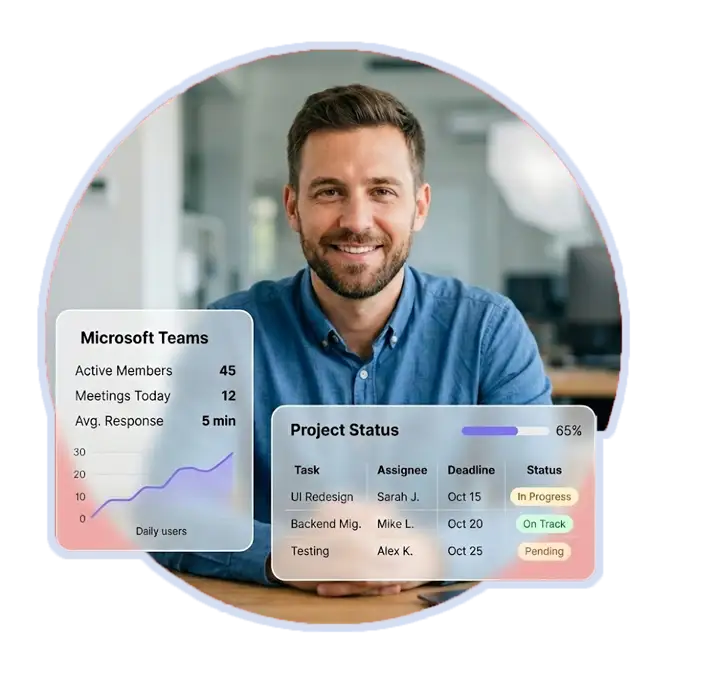
Slickwhiz Solutions is not just another IT agency. We are Microsoft-certified professionals who specialize in transforming communication and collaboration through intelligent, secure, and scalable Microsoft Teams solutions. Our focus is on delivering business results and not just software deployment.
We work together with your internal teams to ensure that Teams align with your operations, governance standards, and communication culture.


Every business is unique and so should be your Microsoft Teams environment. From channel structure and policies to advanced automation, we deliver end-to-end setup and customization that reflects your organization’s needs and workflows.
We assist with:
Our consultants don’t just deploy; they consult, strategize, and optimize to drive user adoption and business value.

A powerful collaboration tool doesn’t stand alone. With our deep experience as SharePoint experts in the USA, we integrate Teams with SharePoint to streamline document collaboration, storage, and version control. This allows teams to work from a centralized hub while retaining the structure and security of SharePoint.
Our Microsoft Teams solutions also fully integrate with the entire Microsoft 365 suite, offering:
This level of integration helps eliminate information silos, enabling your teams to work smarter not harder.

Workflows are essential to business productivity, and we take it to the next level. As a certified Power Automate consultant, we embed smart automation directly within Microsoft Teams. From approvals and alerts to data processing and task reminders, your team can spend less time on repetitive tasks and more time driving results.
Our automation services include:

With remote and hybrid work models growing rapidly, securing endpoints is critical. We help clients protect their Teams environments through the Microsoft Intune admin center, allowing centralized management of employee devices and application access.
We help you:
When Microsoft Teams is used across a variety of devices, robust mobile device management in place ensures security without compromising user experience.

Our Microsoft Azure integration services enable advanced solutions for organizations that want to go beyond the basics. From virtual meetings to integrated cloud databases and AI-powered analytics, Azure plays a vital role in extending Teams’ capabilities.
Whether you need:
Our experts ensure your Teams environment is always secure, scalable, and connected to your broader cloud infrastructure.

No matter how powerful the tool is, it’s only effective if your users embrace it. We offer comprehensive training programs for Microsoft Teams—tailored for executives, managers, and employees. Our training focuses on real-world usage, ensuring your team adopts best practices from day one.
From virtual workshops to self-paced guides, we ensure:
At Slickwhiz Solutions, we go beyond implementation. We act as a long-term partner who understands your business goals and continuously aligns your Microsoft Teams environment to support growth, agility, and performance.
We pride ourselves on building strong relationships and delivering enterprise-grade solutions with integrity, precision, and innovation.
What kinds of services does Slickwhiz offer under "Expert Microsoft Teams Solutions"?
At Slickwhiz Solutions we offer end‑to‑end Microsoft Teams services including: planning and custom setup of Teams (team/channel structure, permissions, governance); integration with Microsoft 365 apps (SharePoint, OneDrive, Outlook, Office apps); automation via tools like Power Automate; device and security management via Microsoft Intune; Azure‑backed integration if needed; user adoption training; ongoing managed support; and lifecycle & compliance management. We don’t just “switch on” Teams — we architect, deploy, optimize, secure, and support it over time.
How does Slickwhiz customize Microsoft Teams for our organization’s unique needs?
We start by understanding your business structure, workflows, collaboration patterns, and governance needs. Based on that analysis, we design a custom team/channel layout, set appropriate permissions and access controls, configure meeting and calling settings, integrate necessary apps and services, enable governance and compliance policies, and automate routine workflows. The result is a Teams environment tailored to how you work or not a “one‑size‑fits‑all” install.
Can you integrate Microsoft Teams with other services like SharePoint, OneDrive, and Outlook?
Yes, this is a core part of our offering. Microsoft Teams works tightly with SharePoint and OneDrive for file storage, sharing, versioning, and document collaboration. Microsoft Learn+2 Wikipedia+2 We also integrate with Outlook (for calendar, scheduling, invites) and Office apps (Word, Excel, PowerPoint) so that your team has seamless access to all productivity tools within the same Microsoft 365 ecosystem.
What benefits does integrating Teams with SharePoint and Power Automate bring to our workflow?
By integrating Teams with SharePoint/OneDrive, your documents are stored centrally and securely, yet accessible directly via Teams — making collaboration, version control, co‑authoring, and sharing simple and efficiently. Microsoft Support+2SharePoint Training UK+2 When you add Power Automate into the mix, you can automate repetitive or manual tasks e.g. approvals, notifications, document workflows, alerts on changes directly within Teams or SharePoint. nBold+1 This not only saves time but reduces errors and speeds up business processes.
How do you ensure security and compliance when deploying Microsoft Teams?
Teams as part of Microsoft 365 offers enterprise‑grade security and compliance features by default: data encryption (in transit and at rest), identity management and single sign-on via Microsoft Entra ID (or Azure AD), multi‑factor authentication, conditional access policies, and more. Microsoft Learn+1 On top of that, we help implement governance, retention policies, auditing, compliance configuration, guest‑access controls, and device compliance via Intune ensuring your Teams environment meets organizational, regulatory, or industry‑specific standards.
Does Slickwhiz support endpoint and device security as part of Teams deployment?
Yes. Through Microsoft Intune, we help you manage and secure employee endpoints whether desktops, laptops, tablets, or mobile devices. This includes applying compliance rules, managing access, rolling out updates and patches, enforcing device policies, and monitoring device health and compliance status. Star Knowledge+1 This ensures that when Teams (or other Microsoft 365 apps) are accessed, they are accessed from secure, compliant devices reducing risk in a hybrid or remote‑work environment.